The short version
A VPN app on Android creates an encrypted tunnel that every app on the phone uses, and Android itself provides the controls to keep that tunnel permanently in place. The Proton VPN app for Android is one of a small number of apps that combine an audited no-logs policy with these system controls, which is why it comes up in most searches about the platform.
If you want the result rather than the explanation, install an app whose policy you have read, connect once, then turn on Always-on VPN and Block connections without VPN in Settings. The rest of this page explains what each step does.
How Android handles VPN apps
Android exposes a VPN service that any app can implement after the user approves a permission prompt. Once approved, the app can capture all outgoing traffic, encrypt it, and send it to its server. The operating system shows a key icon in the status bar while a tunnel is active and lists the app under Settings, Network and internet, VPN.
Three settings on that screen matter more than anything inside the app:
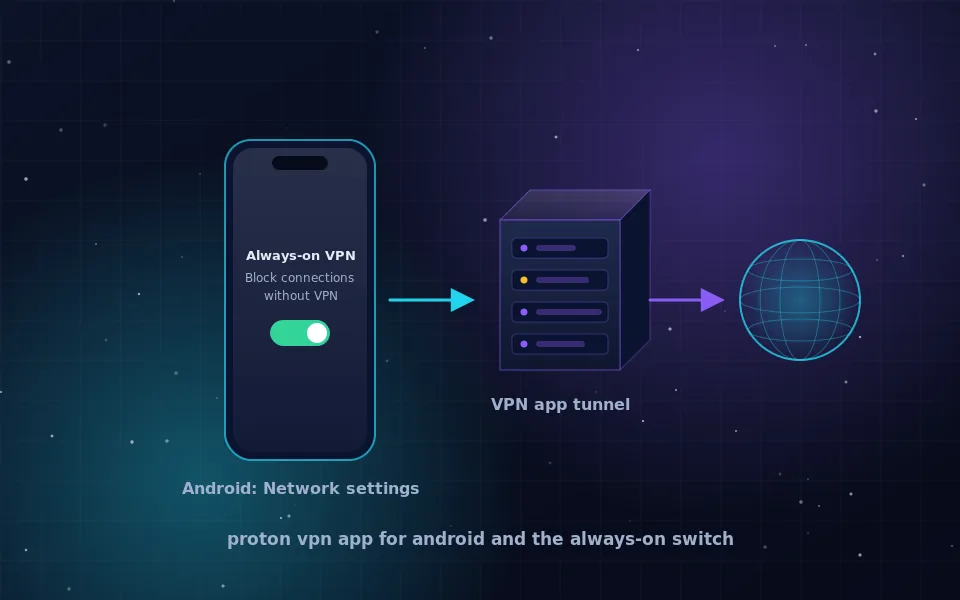
- Always-on VPN starts the tunnel automatically at boot and reconnects it if it drops.
- Block connections without VPN stops every app from sending traffic when the tunnel is not up. This is a true kill switch enforced by the system, not by the app.
- Per-app rules, offered by most apps as split tunnelling, decide which apps go through the tunnel.
Because Android enforces the block itself, a crash in the VPN app cannot leak traffic. That is a stronger guarantee than most desktop kill switches offer.
Setting up the Proton VPN app on Android
Proton VPN publishes its Android app on Google Play and as a direct APK download from protonvpn.com, which matters for phones without Google services. The setup is the same for any reputable app:
- Install the app from the official store listing or the vendor's own download page, never from a third-party APK site.
- Open it, sign in or create an account, and connect. Accept the Android prompt asking to set up a VPN connection.
- Open Settings, Network and internet, VPN, tap the gear next to the app, and turn on Always-on VPN.
- On the same screen turn on Block connections without VPN.
- Search what is my IP in a browser and confirm the address shows the VPN server's location.
Proton's free plan works in the app with fewer server locations and lower speed priority, under the same no-logs policy as paid plans. The current details are on Proton's site.
Hide the IP address on an Android phone without an app
There is no equivalent of Apple's Private Relay on Android, so hiding your address system-wide means a VPN or Tor. Two partial options exist without a full VPN:
- Private DNS under Settings, Network and internet, encrypts your DNS lookups so that the network cannot see which domains you resolve. It does not change your IP address.
- Tor Browser for Android, published by the Tor Project at torproject.org, hides your address for everything you do inside that browser only.
Switching from Wi-Fi to mobile data changes your address too, but your carrier still knows exactly whose address it is. For the full range of methods see how to hide your IP address.
What a VPN does not change on Android
A VPN changes the address that networks and sites see and encrypts traffic on the way to the VPN server. It leaves everything above that layer alone. Your Google account, if signed in, still identifies you to every Google service. Apps with location permission still read GPS. Advertising identifiers still persist until you reset them under Settings, Privacy.
Also note that a VPN cannot protect you from an app you have already installed that is malicious. Android's permission system and Play Protect handle that; the VPN only controls the network path.
Choosing between providers
Any app you consider should meet the same standard: a written no-logs policy naming what is not stored, a public audit by a named firm, WireGuard or OpenVPN as the protocol, and a company you can identify. Proton VPN and Mullvad both publish that information on their official sites. The no-logs VPN guide shows how to check it in five minutes, and are VPNs safe covers the wider trade-offs.
Free apps with no paid tier are the exception to avoid. Security vendor reports have repeatedly found Android VPN apps with large install counts that logged traffic or bundled tracking libraries.
One evening's work
Install one app, connect once, flip the two switches under Network and internet, and check your address. That is the entire setup. The two Android switches give you a kill switch stronger than most desktop apps, and the audited policy gives you a provider whose behaviour you can verify rather than hope for.
Guides worth reading next
- How to hide your IP address, step by stepLearn how to hide your IP address with a VPN, Tor, a proxy or your browser's built-in relay, what each method really conceals, and how to verify it worked.
- VPN provider no logs: what the claim means and how to check itWhat a VPN provider with no logs must not record, how to read a no-logs policy, what audits and court cases prove, and where free no-logs VPNs fit in.
- Are VPNs safe? An honest answer for ordinary usersAre VPNs safe to use? They move your trust from your ISP to one company. Learn the real risks, how to judge a provider, and whether Proton VPN and free VPNs hold up.
- VPN for Android TV: apps, router alternatives and what to expectHow a VPN for Android TV and Google TV works, which providers publish TV apps, how to sideload or use a router instead, and what a VPN on a TV does and does not change.
Frequently asked questions
How do I hide my IP address on my Android phone?
Install a VPN app from a provider with an audited no-logs policy, connect, and then enable Always-on VPN and Block connections without VPN under Settings, Network and internet, VPN. Every app on the phone will then show the VPN server's address, and nothing leaks if the tunnel drops.
Is the Proton VPN app for Android free?
Proton VPN offers a free plan that works in the Android app with a limited set of servers and no speed guarantee, under the same no-logs policy as paid plans. The current limits and the Play Store or APK download links are on protonvpn.com.
What does Always-on VPN do on Android?
It tells Android to start the chosen VPN app's tunnel at boot and reconnect it whenever it drops. Combined with Block connections without VPN, it acts as a system-level kill switch that no app can bypass.
Can I use a VPN for only some apps on Android?
Yes, if the VPN app supports split tunnelling, which most reputable apps do. You choose which apps go through the tunnel and which use the normal connection, for example to keep a banking app on your home network while everything else is routed through the VPN.
Does a VPN on Android hide me from Google?
No. If you are signed in to a Google account on the phone, Google knows who you are regardless of your address. A VPN hides your address and encrypts traffic from the network; it does not change what signed-in services can see.
Last reviewed and updated on . Plain text version: /vpn/category/android.txt.